> ## Documentation Index
> Fetch the complete documentation index at: https://docs.assetinfinity.ai/llms.txt
> Use this file to discover all available pages before exploring further.
# The asset register
> Every machine you maintain — finding them, adding them, and how the hierarchy works.
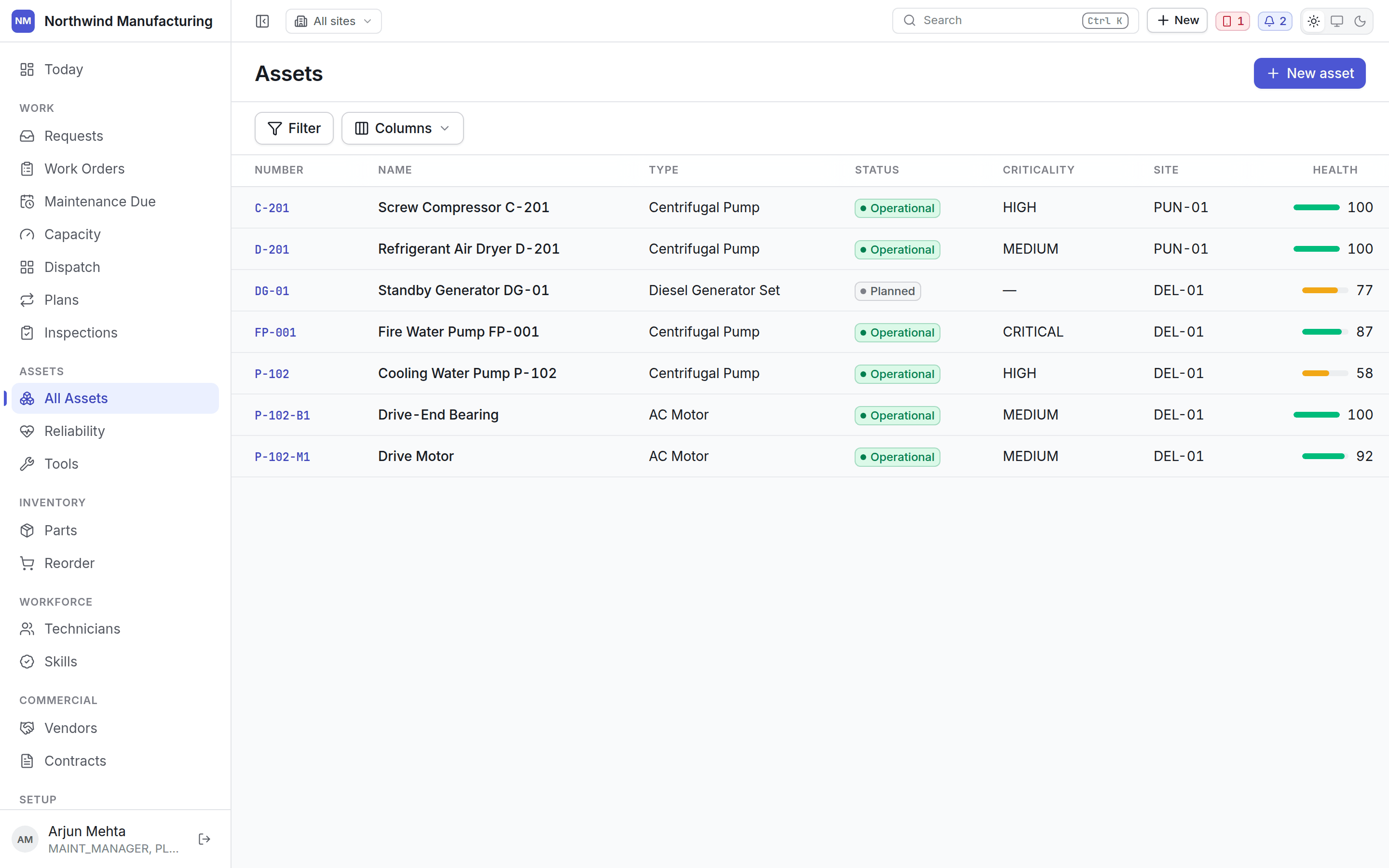
Everything you maintain, in one list.
 ## Columns
| Column | Notes |
| ---------------- | -------------------------------------------------------------------- |
| **Asset number** | Your identifier — click to open |
| **Name** | What people call it |
| **Type** | Pump, motor, compressor — from your [asset settings](/config/assets) |
| **Criticality** | How much it matters when it stops |
| **Status** | Active, down, under maintenance, standby, retired |
| **Location** | Where it is in the location tree |
| **Health** | A score out of 100, from [Reliability](/assets/reliability) |
Search, filter, choose columns and export as on any [list](/get-started/navigating).
## The hierarchy
Assets form a tree. A bearing belongs to a pump; the pump sits on a production line; the line is in a
building; the building is at a site.
The tree is not decoration — work, cost, downtime and failures roll up it. A bearing that fails four
times is also four failures on the pump, which is how a component problem becomes visible as a
machine problem.
Set an asset's parent on the asset itself. See the whole tree on the **Hierarchy** tab of any asset.
## Adding an asset
**New** on this screen, or **New → Create Asset** in the header.
| Field | Notes |
| ------------------------------ | ----------------------------------------- |
| **Asset number** | Must be unique. Your own numbering scheme |
| **Name** | Descriptive — *Cooling Water Pump P-102* |
| **Type** and **Category** | From your configured lists |
| **Criticality** | Drives priority and routing |
| **Location** | Where it physically is |
| **Parent asset** | Where it sits in the tree |
| **Manufacturer** and **Model** | For parts compatibility and warranty |
| **Serial number** | The manufacturer's |
| **Purchase cost** and **date** | Feeds replacement analysis |
| **Custom fields** | Whatever else your plant tracks |
Manufacturers, models, types, categories and criticality levels are configured once under
[asset settings](/config/assets).
## Criticality
Criticality says how much it matters when this machine stops. It drives the priority of work raised
against it, how routing ranks candidates, and how Reliability weighs a failure. Configure the scale
under [asset settings](/config/assets).
The fifteen tabs on a machine.
## Related topics
- [Role reference](/setup/roles.md)
- [Core concepts](/core-concepts.md)
- [Creating an organisation](/setup/sign-up.md)
- [Signing in on the handset](/field/sign-in.md)
- [What this system does](/introduction.md)
## Columns
| Column | Notes |
| ---------------- | -------------------------------------------------------------------- |
| **Asset number** | Your identifier — click to open |
| **Name** | What people call it |
| **Type** | Pump, motor, compressor — from your [asset settings](/config/assets) |
| **Criticality** | How much it matters when it stops |
| **Status** | Active, down, under maintenance, standby, retired |
| **Location** | Where it is in the location tree |
| **Health** | A score out of 100, from [Reliability](/assets/reliability) |
Search, filter, choose columns and export as on any [list](/get-started/navigating).
## The hierarchy
Assets form a tree. A bearing belongs to a pump; the pump sits on a production line; the line is in a
building; the building is at a site.
The tree is not decoration — work, cost, downtime and failures roll up it. A bearing that fails four
times is also four failures on the pump, which is how a component problem becomes visible as a
machine problem.
Set an asset's parent on the asset itself. See the whole tree on the **Hierarchy** tab of any asset.
## Adding an asset
**New** on this screen, or **New → Create Asset** in the header.
| Field | Notes |
| ------------------------------ | ----------------------------------------- |
| **Asset number** | Must be unique. Your own numbering scheme |
| **Name** | Descriptive — *Cooling Water Pump P-102* |
| **Type** and **Category** | From your configured lists |
| **Criticality** | Drives priority and routing |
| **Location** | Where it physically is |
| **Parent asset** | Where it sits in the tree |
| **Manufacturer** and **Model** | For parts compatibility and warranty |
| **Serial number** | The manufacturer's |
| **Purchase cost** and **date** | Feeds replacement analysis |
| **Custom fields** | Whatever else your plant tracks |
Manufacturers, models, types, categories and criticality levels are configured once under
[asset settings](/config/assets).
## Criticality
Criticality says how much it matters when this machine stops. It drives the priority of work raised
against it, how routing ranks candidates, and how Reliability weighs a failure. Configure the scale
under [asset settings](/config/assets).
The fifteen tabs on a machine.
## Related topics
- [Role reference](/setup/roles.md)
- [Core concepts](/core-concepts.md)
- [Creating an organisation](/setup/sign-up.md)
- [Signing in on the handset](/field/sign-in.md)
- [What this system does](/introduction.md)