> ## Documentation Index
> Fetch the complete documentation index at: https://docs.assetinfinity.ai/llms.txt
> Use this file to discover all available pages before exploring further.
# Vendors
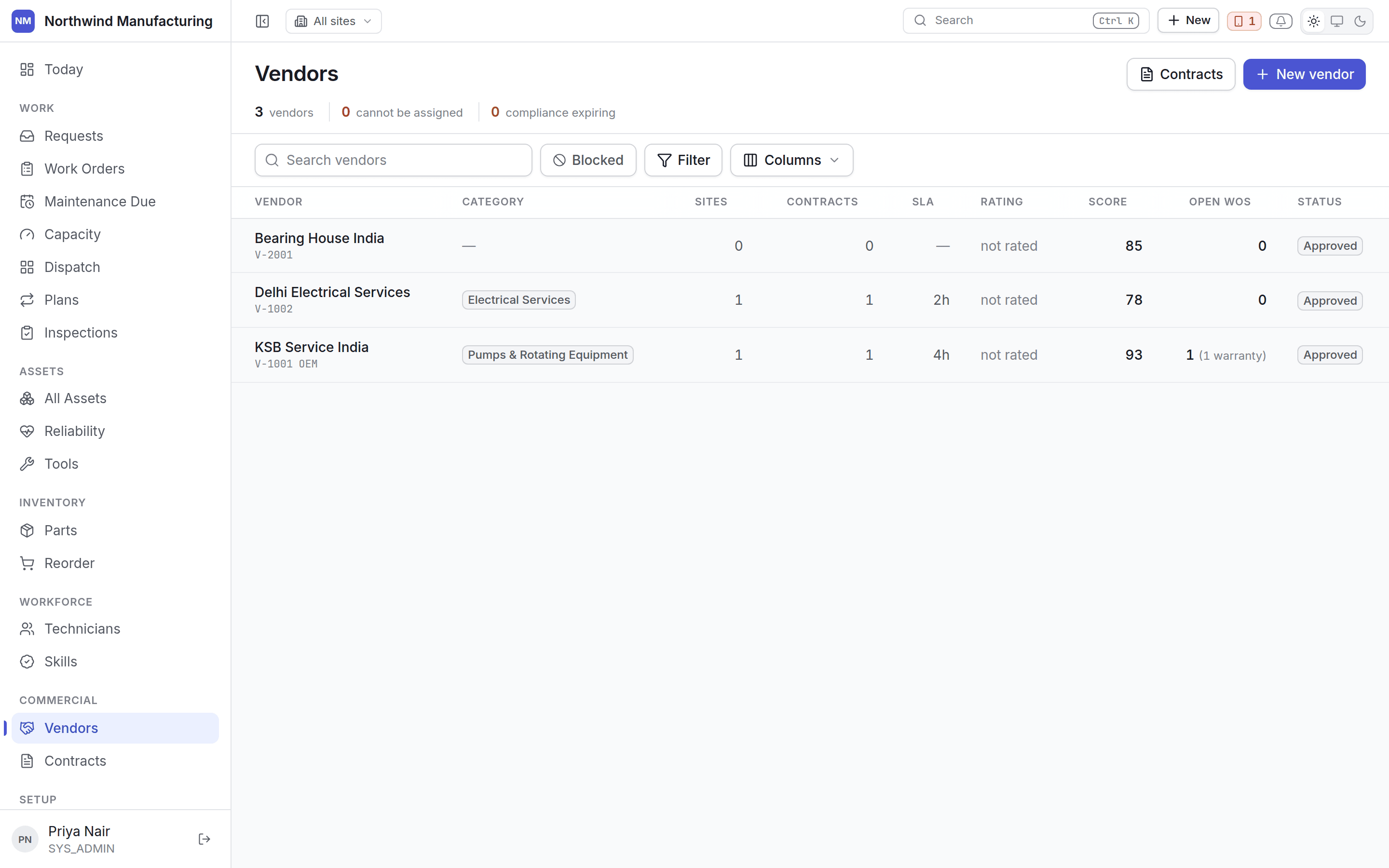
> Contractors and suppliers — approving them, what they can do, and whether they are still allowed on site.
The companies you buy from and send work to.
 ## Vendor states
A vendor is approved before they can be used, and can be stopped afterwards.
| Status | Meaning |
| -------------------- | --------------------------------------------------- |
| **Prospective** | Being considered. Cannot be sent work |
| **Pending Approval** | Submitted for approval |
| **Approved** | Usable |
| **Suspended** | Temporarily stopped — a lapsed insurance, a dispute |
| **Blacklisted** | Permanently stopped |
| **Inactive** | No longer used, without prejudice |
Allowed moves:
```text theme={null}
Prospective ──Submit──→ Pending Approval ─┬─Approve──→ Approved
└─Return for information──→ Prospective
Approved ─┬─Suspend────→ Suspended ─┬─Reinstate──→ Approved
│ └─Blacklist──→ Blacklisted
├─Blacklist──→ Blacklisted
└─Deactivate─→ Inactive
```
**Approve**, **Reinstate** and **Blacklist** require approval — they change who is allowed on your
site.
## Columns
| Column | Notes |
| ------------------------- | ---------------------------------------------- |
| **Vendor number** | Your identifier |
| **Name** | Click to open |
| **Type** and **Category** | From [commercial settings](/config/commercial) |
| **Status** | As above |
| **Compliance** | Whether their documents are current |
| **Contracts** | How many are live |
## Compliance leads
A vendor whose public-liability cover has lapsed is not a vendor with a footnote — they are a vendor
nobody may send. The compliance state is shown before anything else, on the list and on the vendor.
## Adding a vendor
**New** on this screen, or **New → Create Vendor** in the header. A vendor needs a number, a name, a
type and a category. Everything else — contacts, sites, capabilities, rates, compliance documents —
is added on the vendor itself.
Contacts, sites, capabilities, contracts, work, performance, rates and compliance.
## Related topics
- [Role reference](/setup/roles.md)
- [Inside a vendor](/commercial/vendor-detail.md)
- [Vendor and contract settings](/config/commercial.md)
- [Administered lists](/config/administered-lists.md)
- [The work order lifecycle](/work/lifecycle.md)
## Vendor states
A vendor is approved before they can be used, and can be stopped afterwards.
| Status | Meaning |
| -------------------- | --------------------------------------------------- |
| **Prospective** | Being considered. Cannot be sent work |
| **Pending Approval** | Submitted for approval |
| **Approved** | Usable |
| **Suspended** | Temporarily stopped — a lapsed insurance, a dispute |
| **Blacklisted** | Permanently stopped |
| **Inactive** | No longer used, without prejudice |
Allowed moves:
```text theme={null}
Prospective ──Submit──→ Pending Approval ─┬─Approve──→ Approved
└─Return for information──→ Prospective
Approved ─┬─Suspend────→ Suspended ─┬─Reinstate──→ Approved
│ └─Blacklist──→ Blacklisted
├─Blacklist──→ Blacklisted
└─Deactivate─→ Inactive
```
**Approve**, **Reinstate** and **Blacklist** require approval — they change who is allowed on your
site.
## Columns
| Column | Notes |
| ------------------------- | ---------------------------------------------- |
| **Vendor number** | Your identifier |
| **Name** | Click to open |
| **Type** and **Category** | From [commercial settings](/config/commercial) |
| **Status** | As above |
| **Compliance** | Whether their documents are current |
| **Contracts** | How many are live |
## Compliance leads
A vendor whose public-liability cover has lapsed is not a vendor with a footnote — they are a vendor
nobody may send. The compliance state is shown before anything else, on the list and on the vendor.
## Adding a vendor
**New** on this screen, or **New → Create Vendor** in the header. A vendor needs a number, a name, a
type and a category. Everything else — contacts, sites, capabilities, rates, compliance documents —
is added on the vendor itself.
Contacts, sites, capabilities, contracts, work, performance, rates and compliance.
## Related topics
- [Role reference](/setup/roles.md)
- [Inside a vendor](/commercial/vendor-detail.md)
- [Vendor and contract settings](/config/commercial.md)
- [Administered lists](/config/administered-lists.md)
- [The work order lifecycle](/work/lifecycle.md)