> ## Documentation Index
> Fetch the complete documentation index at: https://docs.assetinfinity.ai/llms.txt
> Use this file to discover all available pages before exploring further.
# Maintenance plans
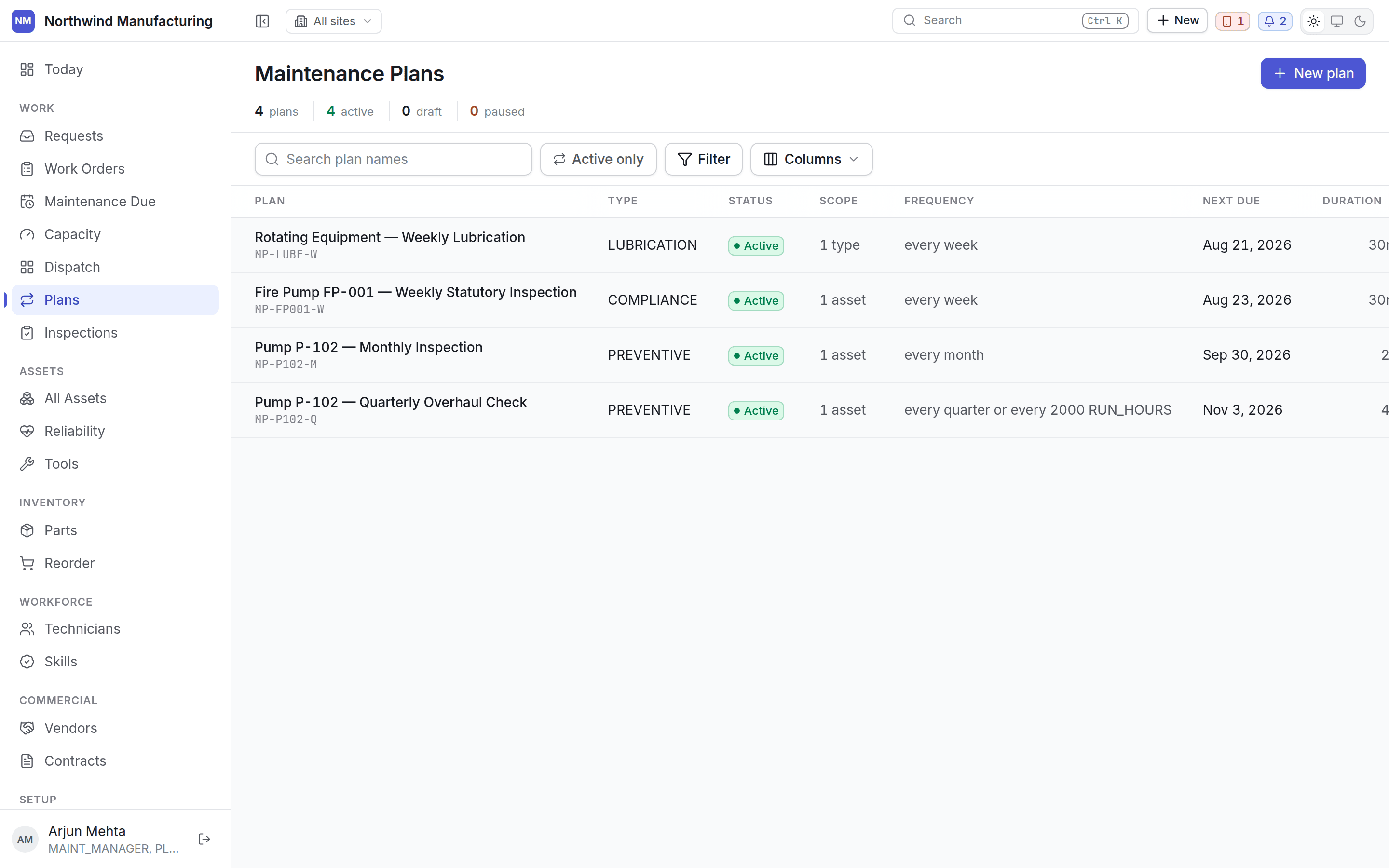
> The register of rules that raise preventive work on their own — triggers, frequency, and the assets each covers.
A maintenance plan raises work orders so you do not have to. This is the register of them.
 ## The frequency column
Every plan shows its schedule as a sentence — *"every 90 days or every 2000 run hours"*. A plan may
carry several triggers combined with ANY or ALL, and that sentence reads the same here, on the plan
itself, and in the notification that says a round is due.
## Columns
| Column | Notes |
| ------------- | --------------------------- |
| **Plan** | Number and name |
| **Frequency** | The schedule, as a sentence |
| **Scope** | Which assets it covers |
| **Next due** | The soonest occurrence |
| **Status** | Draft, active or paused |
## Plan states
Being built. **A draft generates nothing** — a half-built plan is inert rather than dangerous.
You can leave the builder and come back without losing work.
Running. It raises occurrences on schedule, and those appear on
[Maintenance Due](/work/maintenance-due).
Stopped without being deleted. Nothing new is raised; existing work orders are untouched. Use
this for a machine out of service rather than deleting a plan you will want back.
## Opening a plan
## The frequency column
Every plan shows its schedule as a sentence — *"every 90 days or every 2000 run hours"*. A plan may
carry several triggers combined with ANY or ALL, and that sentence reads the same here, on the plan
itself, and in the notification that says a round is due.
## Columns
| Column | Notes |
| ------------- | --------------------------- |
| **Plan** | Number and name |
| **Frequency** | The schedule, as a sentence |
| **Scope** | Which assets it covers |
| **Next due** | The soonest occurrence |
| **Status** | Draft, active or paused |
## Plan states
Being built. **A draft generates nothing** — a half-built plan is inert rather than dangerous.
You can leave the builder and come back without losing work.
Running. It raises occurrences on schedule, and those appear on
[Maintenance Due](/work/maintenance-due).
Stopped without being deleted. Nothing new is raised; existing work orders are untouched. Use
this for a machine out of service rather than deleting a plan you will want back.
## Opening a plan
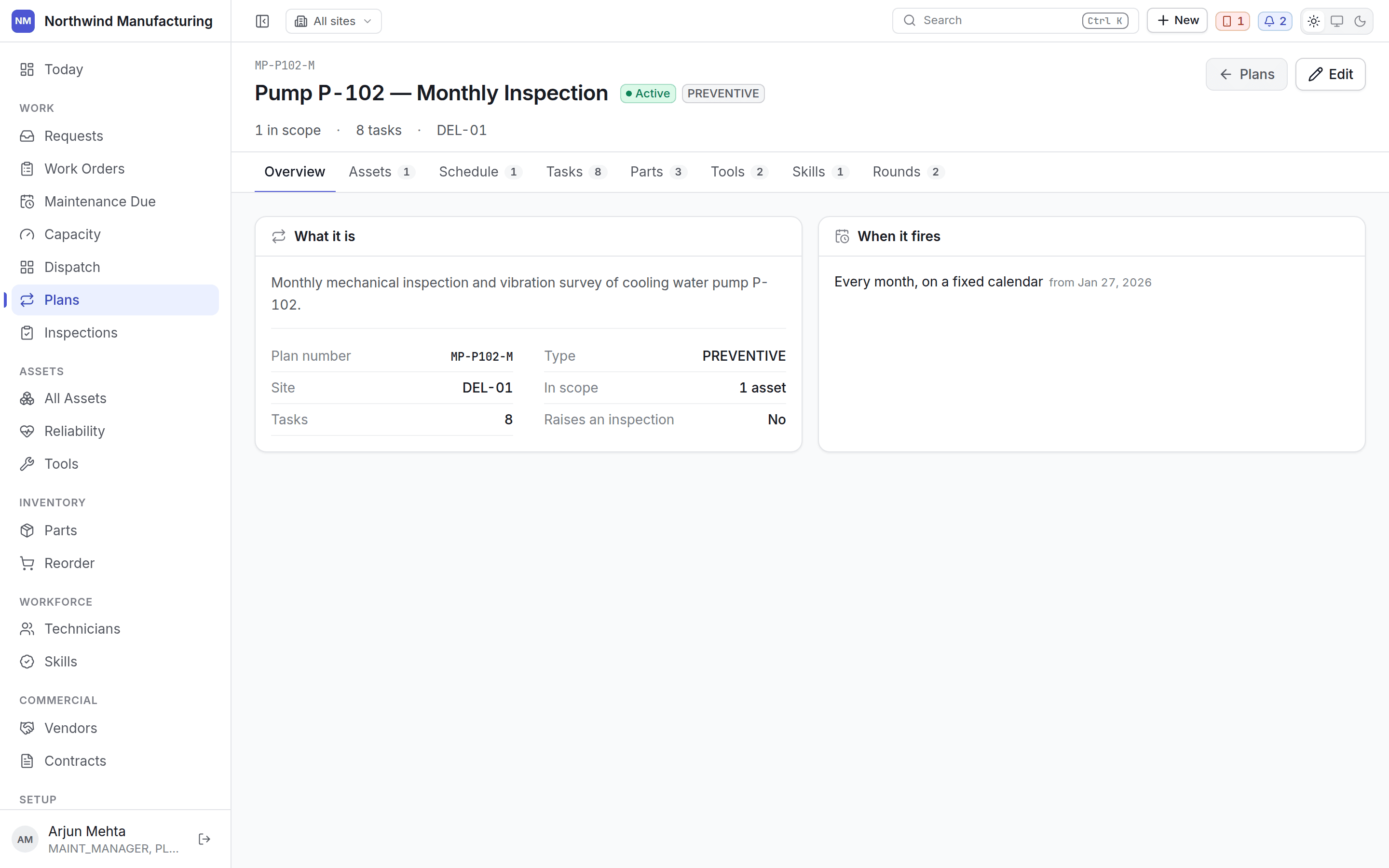 The plan shows its triggers, the assets in scope, the task list, what each round requires (parts,
tools, skills, vendors), and the occurrences it has raised — past and upcoming.
## Editing
**Edit** reopens the [plan builder](/maintenance/plan-builder) on the existing plan. Changes affect
occurrences not yet raised; work orders already created are untouched, because a job somebody is
part-way through should not change under them.
## What a plan can raise
* A **work order**, always.
* An **inspection round** alongside it, where the plan names an inspection template. See
[inspections](/maintenance/inspections).
The twelve-step builder, one step at a time.
## Related topics
- [Core concepts](/core-concepts.md)
- [Building a maintenance plan](/maintenance/plan-builder.md)
- [Maintenance due](/work/maintenance-due.md)
- [The capacity plan](/work/capacity.md)
- [Inspections](/maintenance/inspections.md)
The plan shows its triggers, the assets in scope, the task list, what each round requires (parts,
tools, skills, vendors), and the occurrences it has raised — past and upcoming.
## Editing
**Edit** reopens the [plan builder](/maintenance/plan-builder) on the existing plan. Changes affect
occurrences not yet raised; work orders already created are untouched, because a job somebody is
part-way through should not change under them.
## What a plan can raise
* A **work order**, always.
* An **inspection round** alongside it, where the plan names an inspection template. See
[inspections](/maintenance/inspections).
The twelve-step builder, one step at a time.
## Related topics
- [Core concepts](/core-concepts.md)
- [Building a maintenance plan](/maintenance/plan-builder.md)
- [Maintenance due](/work/maintenance-due.md)
- [The capacity plan](/work/capacity.md)
- [Inspections](/maintenance/inspections.md)