> ## Documentation Index
> Fetch the complete documentation index at: https://docs.assetinfinity.ai/llms.txt
> Use this file to discover all available pages before exploring further.
# Ways to sign in
> Email and password, Google, Microsoft, and what a first sign-in looks like.
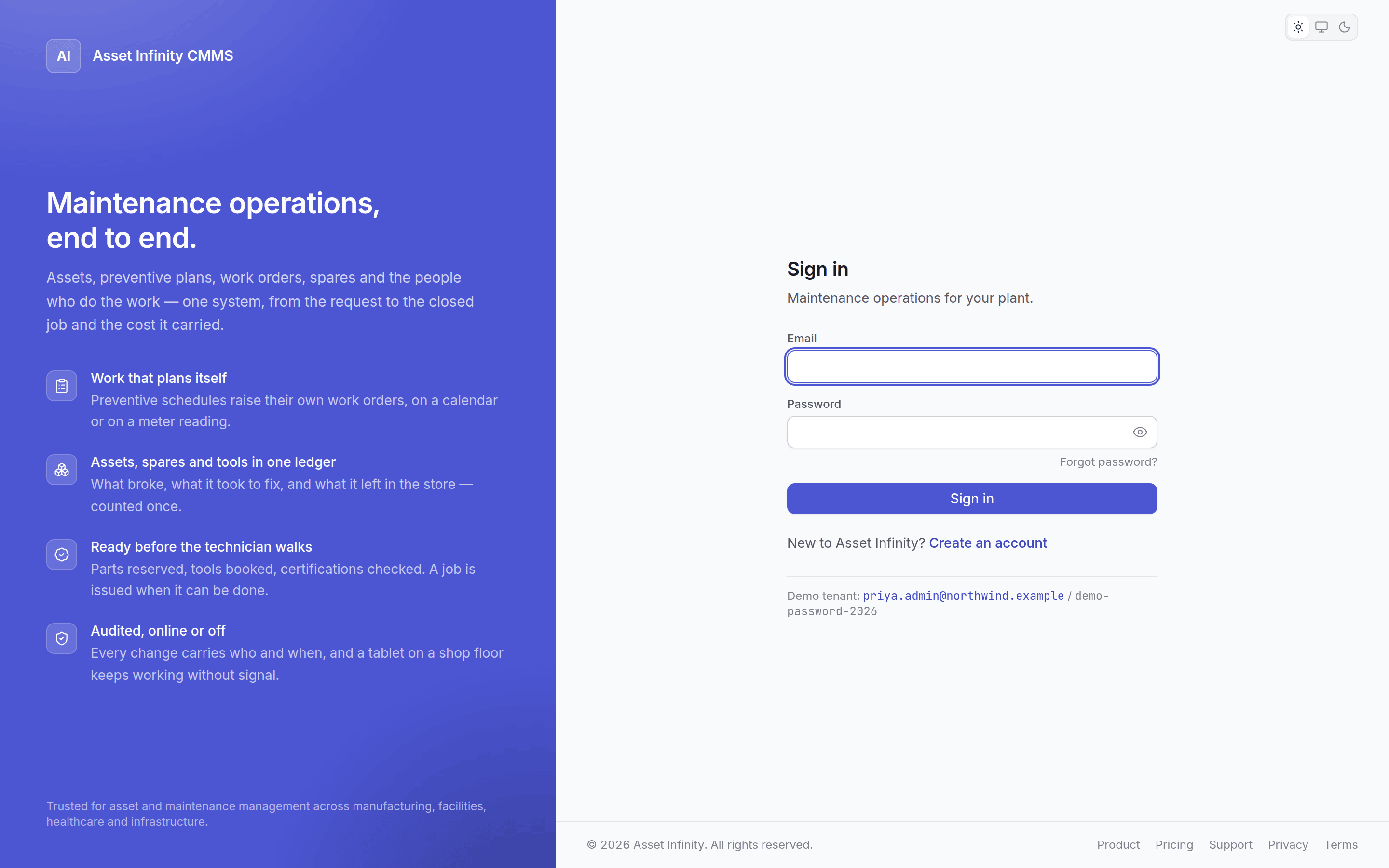 ## Email and password
The default. Your email is your username.
## Google and Microsoft
If your organisation has configured a provider, its button appears on the sign-in screen. Configure
one and the buttons appear; configure none and the app never mentions them.
Signing in with a provider still requires an account here — the provider proves who you are, and
your account decides what you may do. Somebody with a valid Google account and no user record cannot
get in.
## First sign-in on an issued password
When an administrator creates your account they set a password, which means somebody other than you
knows it. So the first sign-in with an issued password asks you to change it before going any
further.
## Forgotten password
## Email and password
The default. Your email is your username.
## Google and Microsoft
If your organisation has configured a provider, its button appears on the sign-in screen. Configure
one and the buttons appear; configure none and the app never mentions them.
Signing in with a provider still requires an account here — the provider proves who you are, and
your account decides what you may do. Somebody with a valid Google account and no user record cannot
get in.
## First sign-in on an issued password
When an administrator creates your account they set a password, which means somebody other than you
knows it. So the first sign-in with an issued password asks you to change it before going any
further.
## Forgotten password
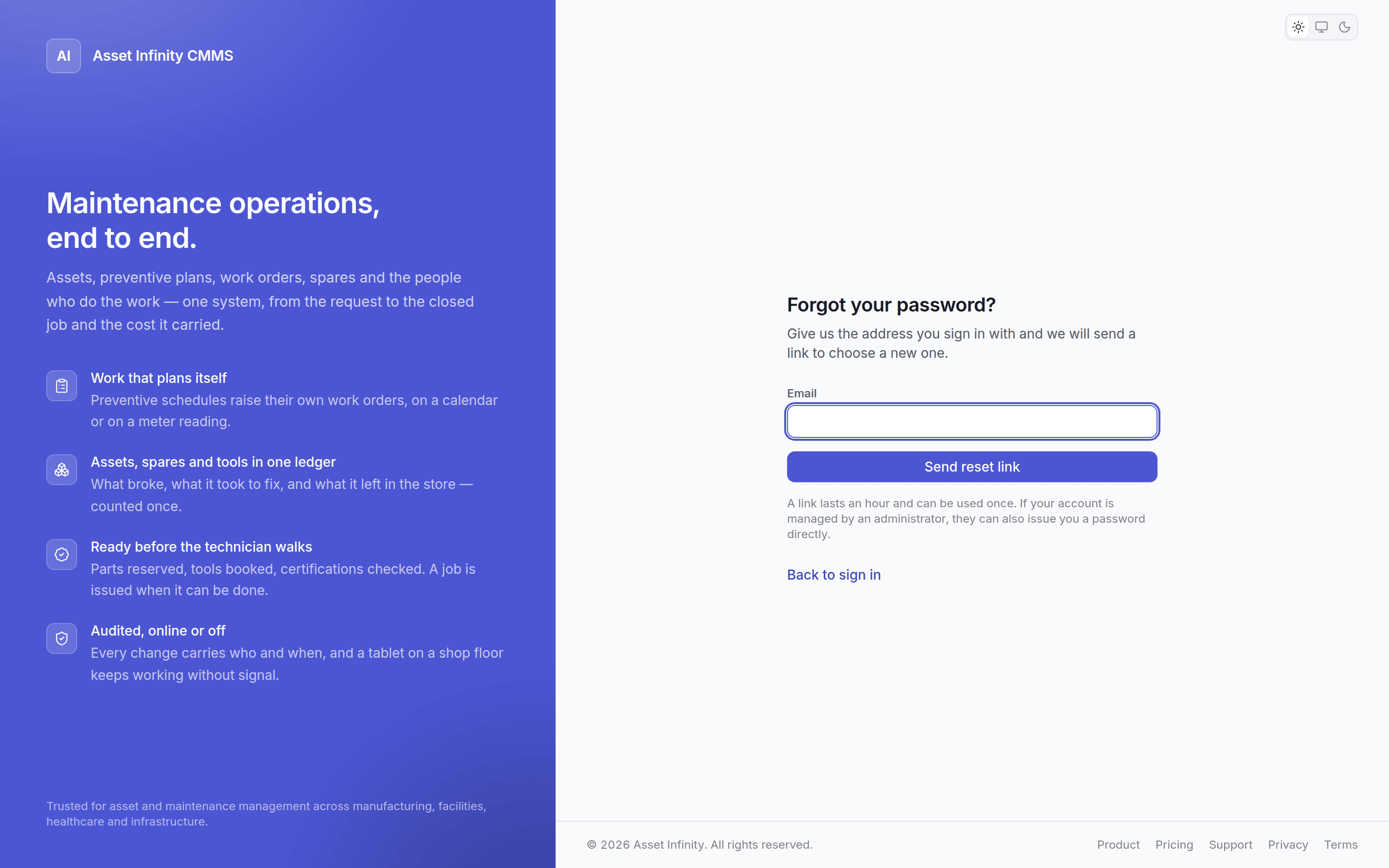 Click **Forgot password?** and enter your email. If an account exists you get a link.
| Detail | |
| ------------- | -------------------------------------------------- |
| **Valid for** | One hour |
| **Uses** | One. Using it or requesting another invalidates it |
The screen gives the same answer whether or not the address has an account. That is deliberate —
a different answer would tell anyone who asked which of your colleagues have accounts.
If the link does not arrive, check spam first, then ask your administrator to confirm the address on
your account.
## Changing your password
From your account menu. You need your current one.
## Signing in on a handset
The [field app](/field/sign-in) uses the same email and password, and additionally sets up a device
passcode that encrypts the plant's data held on the handset. That passcode is separate, belongs to
the device, and cannot be recovered by anybody.
## Sessions
Sessions renew while you are working and expire after a period of inactivity. An expired session
returns you to sign-in with your work intact — you are not signed out mid-edit and left wondering.
## Related topics
- [Your first hour](/quickstart.md)
- [Signing in on the handset](/field/sign-in.md)
- [What this system does](/introduction.md)
- [Finding your way around](/get-started/navigating.md)
- [Creating an organisation](/setup/sign-up.md)
Click **Forgot password?** and enter your email. If an account exists you get a link.
| Detail | |
| ------------- | -------------------------------------------------- |
| **Valid for** | One hour |
| **Uses** | One. Using it or requesting another invalidates it |
The screen gives the same answer whether or not the address has an account. That is deliberate —
a different answer would tell anyone who asked which of your colleagues have accounts.
If the link does not arrive, check spam first, then ask your administrator to confirm the address on
your account.
## Changing your password
From your account menu. You need your current one.
## Signing in on a handset
The [field app](/field/sign-in) uses the same email and password, and additionally sets up a device
passcode that encrypts the plant's data held on the handset. That passcode is separate, belongs to
the device, and cannot be recovered by anybody.
## Sessions
Sessions renew while you are working and expire after a period of inactivity. An expired session
returns you to sign-in with your work intact — you are not signed out mid-edit and left wondering.
## Related topics
- [Your first hour](/quickstart.md)
- [Signing in on the handset](/field/sign-in.md)
- [What this system does](/introduction.md)
- [Finding your way around](/get-started/navigating.md)
- [Creating an organisation](/setup/sign-up.md)