> ## Documentation Index
> Fetch the complete documentation index at: https://docs.assetinfinity.ai/llms.txt
> Use this file to discover all available pages before exploring further.
# Technicians
> The workforce list — who you have, what they can do, and whether they are available.
The people who do the work.
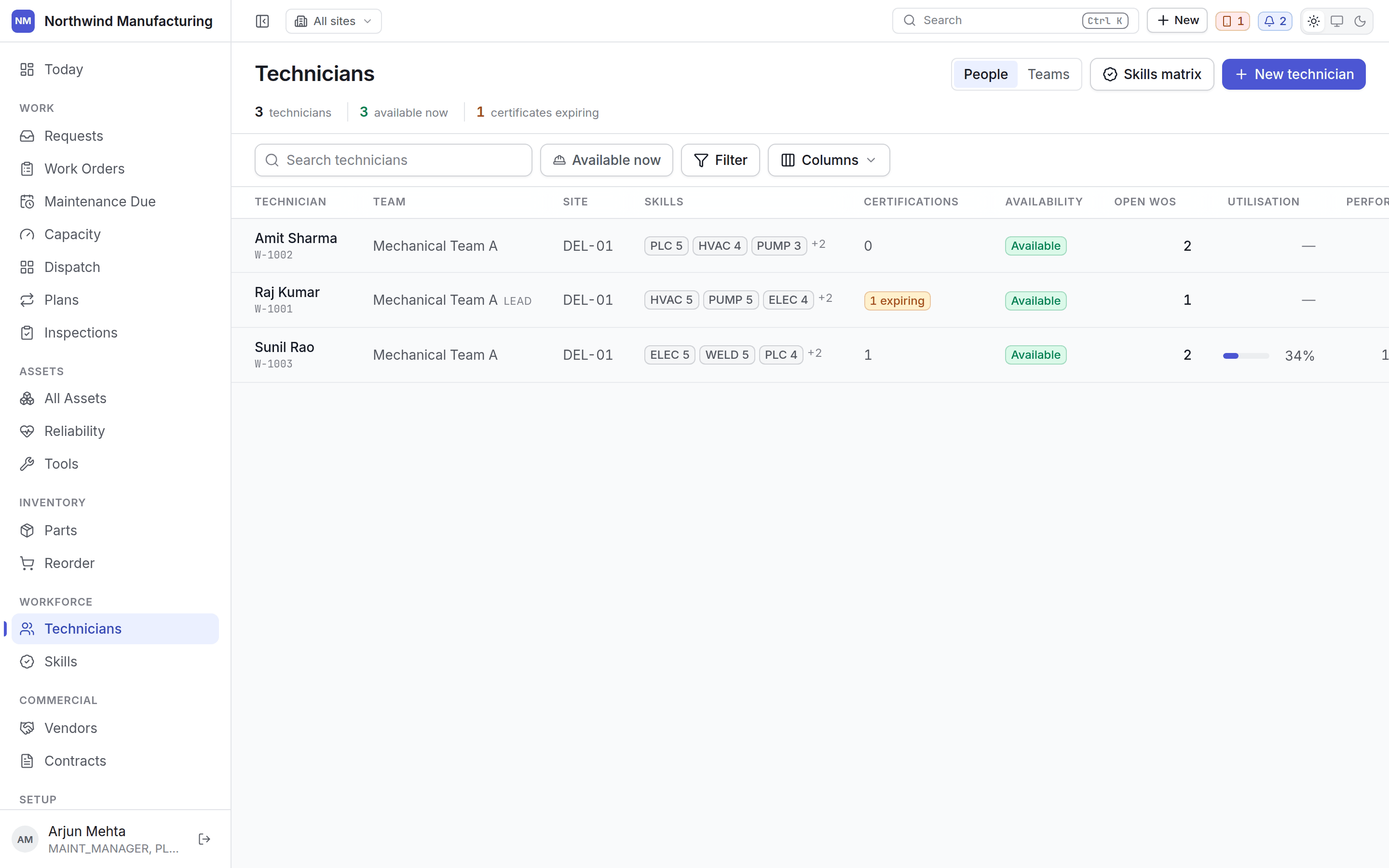 ## Columns
| Column | Notes |
| ----------------- | ------------------------------------------------------------------------------- |
| **Worker number** | Your identifier |
| **Name** | Click to open |
| **Type** | Employee, contractor, apprentice — from [workforce settings](/config/workforce) |
| **Team** | The crew they belong to |
| **Site** | Where they are rostered |
| **Skills** | How many they hold |
| **Availability** | Whether they are in right now |
## Availability
Availability is never computed on this screen. Shifts, working windows and leave have a precedence
between them, and one place owns it — a screen that re-derived availability would be a second
roster, and the first person to notice would be whoever got sent to a job on their day off.
So what you see here, on the [dispatch board](/work/dispatch), and in routing is always the same
answer.
## Teams
Crews are managed here, beside the people in them, rather than filed under configuration — a team is
people, not a setting.
## Adding somebody
**New** on this screen. A worker record needs a number, a name, a type and a site.
A **worker** and a **user** are different records. A worker is somebody who does maintenance; a
user is somebody who signs in. Most technicians are both, and the two are linked so the app knows
whose work "my work" means — but a contractor might be a worker who never signs in, and a
storekeeper a user who is not a worker.
Users and their roles live under [people and access](/setup/access).
Skills, certifications, schedule, availability, current work, history and performance.
## Related topics
- [What this system does](/introduction.md)
- [Inside a technician](/workforce/technician-detail.md)
- [Role reference](/setup/roles.md)
- [The dispatch board](/work/dispatch.md)
- [Meters and readings](/assets/meters.md)
## Columns
| Column | Notes |
| ----------------- | ------------------------------------------------------------------------------- |
| **Worker number** | Your identifier |
| **Name** | Click to open |
| **Type** | Employee, contractor, apprentice — from [workforce settings](/config/workforce) |
| **Team** | The crew they belong to |
| **Site** | Where they are rostered |
| **Skills** | How many they hold |
| **Availability** | Whether they are in right now |
## Availability
Availability is never computed on this screen. Shifts, working windows and leave have a precedence
between them, and one place owns it — a screen that re-derived availability would be a second
roster, and the first person to notice would be whoever got sent to a job on their day off.
So what you see here, on the [dispatch board](/work/dispatch), and in routing is always the same
answer.
## Teams
Crews are managed here, beside the people in them, rather than filed under configuration — a team is
people, not a setting.
## Adding somebody
**New** on this screen. A worker record needs a number, a name, a type and a site.
A **worker** and a **user** are different records. A worker is somebody who does maintenance; a
user is somebody who signs in. Most technicians are both, and the two are linked so the app knows
whose work "my work" means — but a contractor might be a worker who never signs in, and a
storekeeper a user who is not a worker.
Users and their roles live under [people and access](/setup/access).
Skills, certifications, schedule, availability, current work, history and performance.
## Related topics
- [What this system does](/introduction.md)
- [Inside a technician](/workforce/technician-detail.md)
- [Role reference](/setup/roles.md)
- [The dispatch board](/work/dispatch.md)
- [Meters and readings](/assets/meters.md)