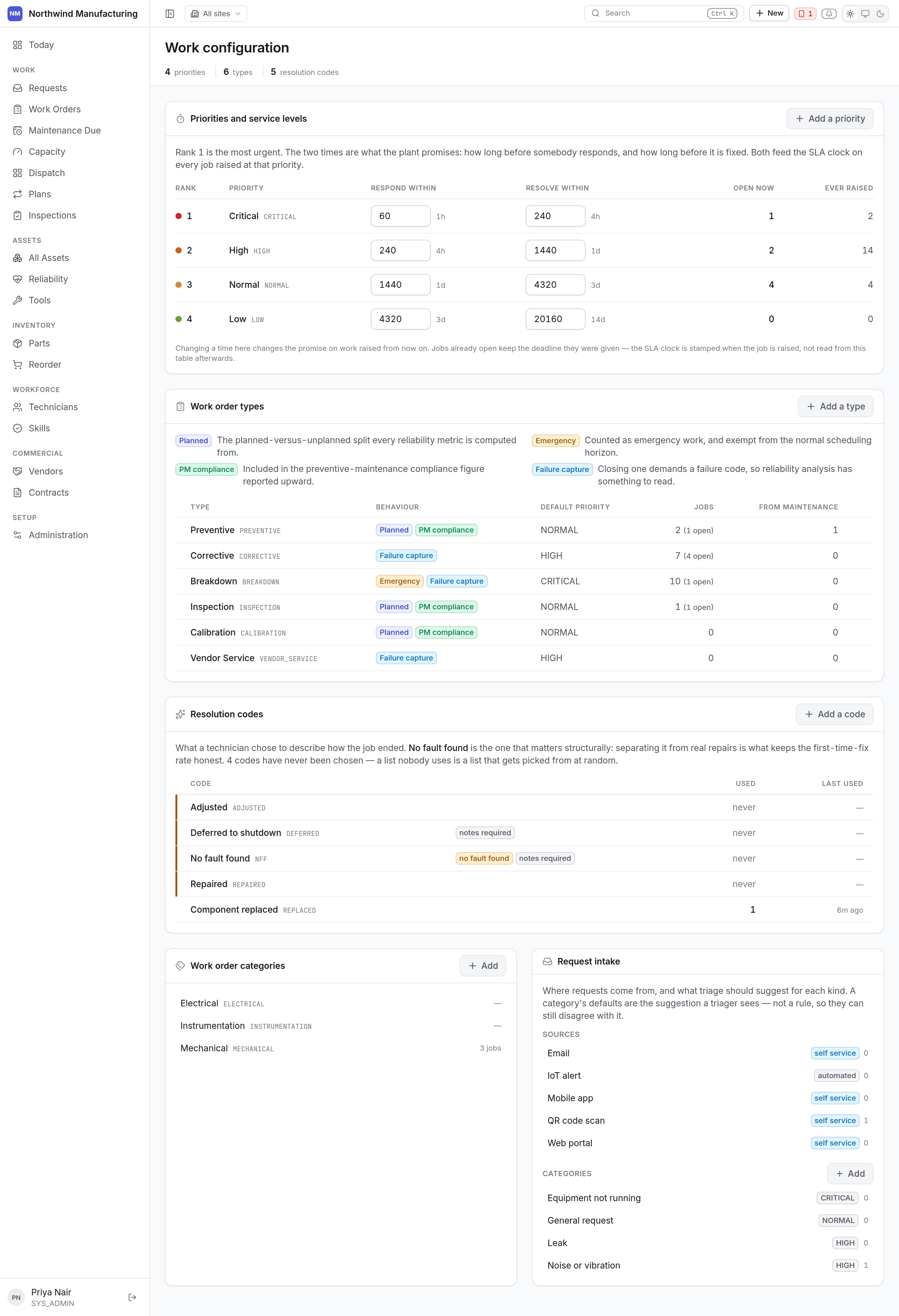
The work settings screen

Priorities and service levels

A priority is a rung on a ladder, which is why they are edited together rather than as separate records. Each priority carries: Response and resolution are the service level. The clock runs against the site’s working week — so “four hours” on a site that works one shift means four working hours, not four wall-clock hours. The clock pauses in on-hold states and stops at Completed. See the lifecycle.
Ranks are what sorting and the Critical view use. Renaming “Critical” to “P1” changes the label everywhere and breaks nothing.

Work order types

What kind of job this is. The defaults: Each type carries a planned flag. That flag — not a list of type codes — is what the planned against unplanned chart on the Executive dashboard counts, so adding your own type gets counted correctly without a change anywhere else.

Work order categories

A second axis of classification, independent of type: mechanical, electrical, instrumentation, civil, safety. Useful for reporting and for routing to the right trade.

Resolution codes

What was actually done, chosen when a job is closed: replaced, repaired, adjusted, cleaned, no fault found. Resolution codes are worth taking seriously. No fault found appearing repeatedly on one machine is a real signal, and only exists as a signal if people record it.

Request sources

Where a work request came from — walk-up, telephone, email, the operator on the line, a control system. Configure the list so you can tell later which channel a fault arrived through.

Request categories

The same idea as work order categories, applied to requests at intake.

Adding to any of these lists

Each section has its own New. Entries can be deactivated rather than deleted, which keeps historical records readable — a job closed against a resolution code you no longer offer still shows what it was closed as.