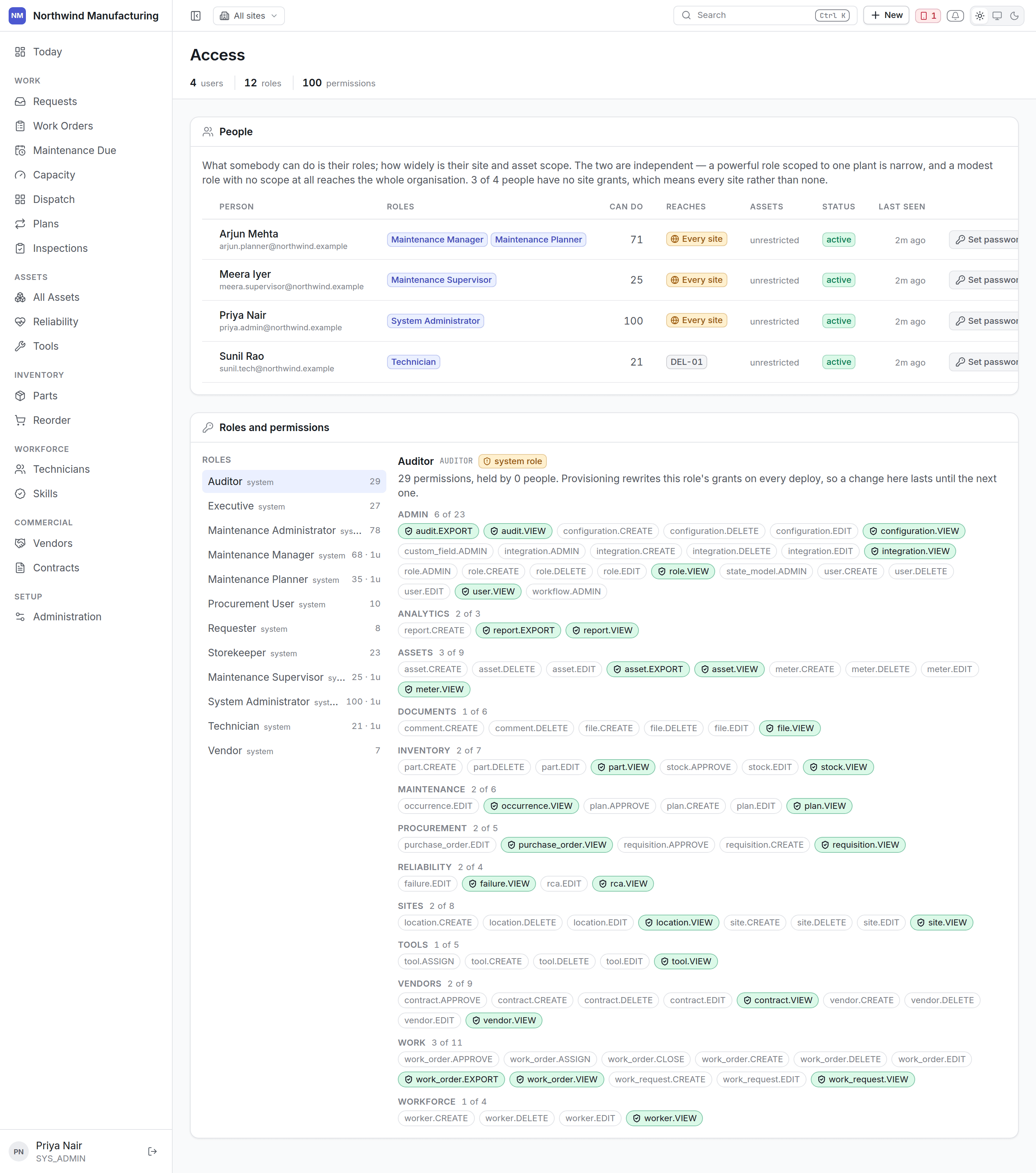
Who can do what, and how widely. The access settings screen

Why this is one screen

Roles, site scope and asset scope only mean anything together. Edited as three unrelated tables they are how somebody grants far more than they meant to.

The rule that catches people out

No grants means unrestricted. A user with no site rows can see every site.So adding somebody’s first site silently narrows them from everything to one, and deleting their last silently widens them to everything. In a plain table those two edits look identical and are opposite in effect.
This screen says “every site” in as many words where that is the situation, rather than leaving a blank column that says nothing.

Adding a user

New on this screen. The user is issued a password and asked to change it on first sign-in, because somebody other than its owner knows it.

Roles

A role is a bundle of permissions. Give somebody more than one and they get the union. The twelve defaults cover most plants. See the role reference for exactly what each can do.

Site and asset scope

Two levels of narrowing, both optional:
  • Site access — which plants this person may reach.
  • Asset access — which machines, for cases where even one site is too wide. A contractor maintaining only the compressors is the usual reason.
Scope is enforced by the server on every read, not by hiding menu items. A user who cannot reach a site cannot reach it by typing a URL either.

Changing somebody’s access

Changes take effect on their next request. Somebody whose access is narrowed while signed in stops seeing what they lost immediately — they do not need to sign out.

Deactivating somebody

Deactivate rather than delete. Their history — the jobs they closed, the hours they booked, the readings they took — stays attached to them, which is what makes the record worth having. A deleted user would orphan all of it. Deactivating ends their sessions. If they had a handset, revoke the device too, from the Sync Center.

Users and workers

Different records. A user signs in; a worker does maintenance. Most technicians are both, and linking them is what lets the app know whose work “my work” means. Workers are managed under technicians.