

Why it is a separate screen
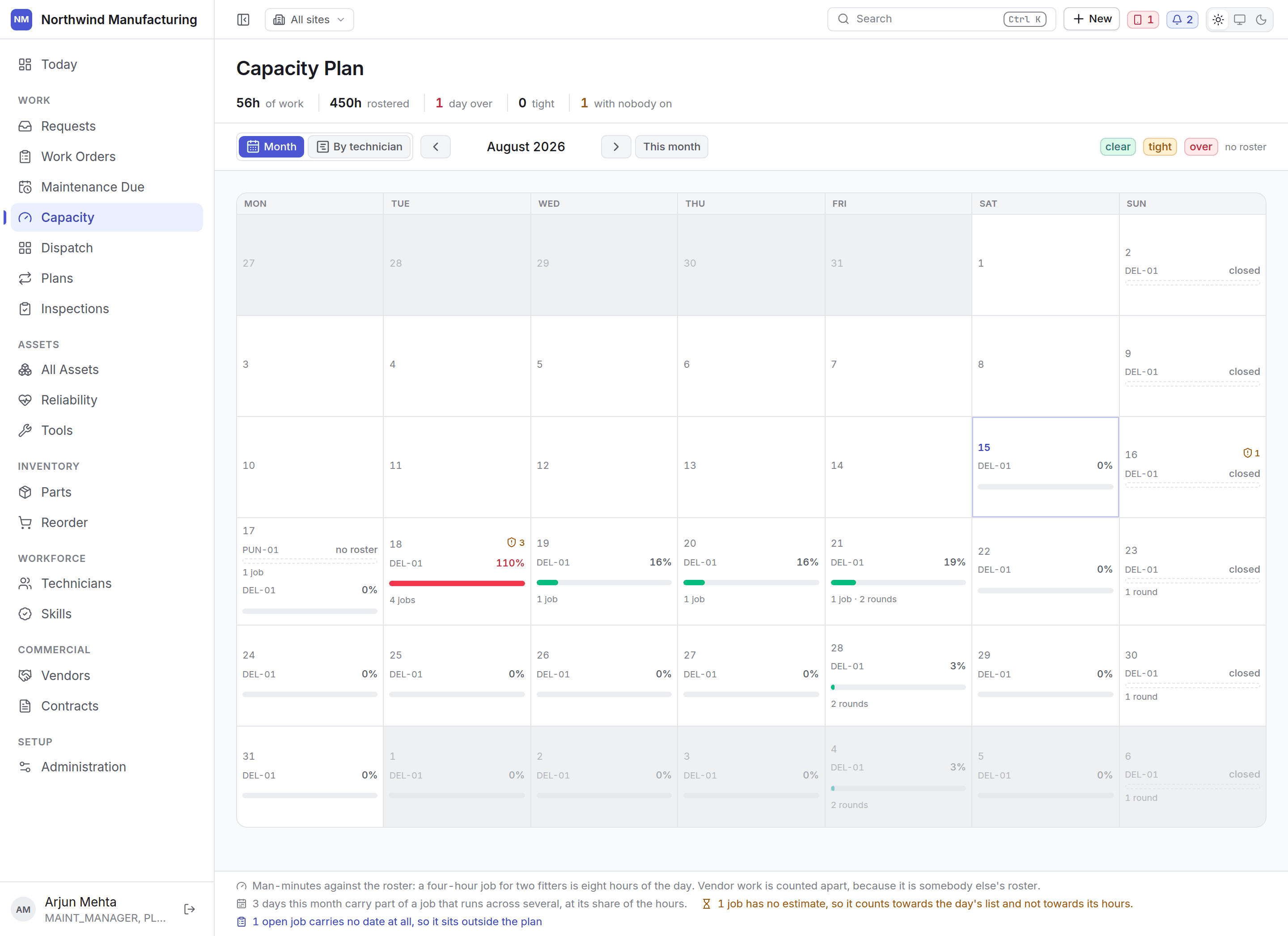
The due calendar cannot make a claim about capacity. If it wore capacity colours, “eleven rounds on Tuesday” would read as “Tuesday is full” — which the due list has no basis to say. So the two are separate screens, and the due calendar points here.How to read it
Every figure is computed in man-minutes against the roster — the hours your technicians are actually rostered for, not a headcount. Each cell is a day, and each day reads as:
The two thresholds are configured centrally, so every screen agrees about what “tight” means.
One row per site
Technicians are rostered at a plant and cannot absorb another plant’s load, so sites are never blended. An average across three sites hides the one that is drowning. Rows are sorted worst first, because the reason to look at a month is to find the day that does not fit.What to do about an overloaded day
Move a preventive round
Move a preventive round
Most plans carry a tolerance — a window either side of the due date within which the round still
counts as compliant. Moving inside that window costs nothing. See
maintenance plans.
Bring work forward
Bring work forward
A clear day earlier in the week can take work off a full one, if the assets can be released.
Add hours
Add hours
Adjust shifts or add cover for the day under workforce settings.
Send it out
Send it out
Work covered by a contract can go to the vendor instead. See contracts.