

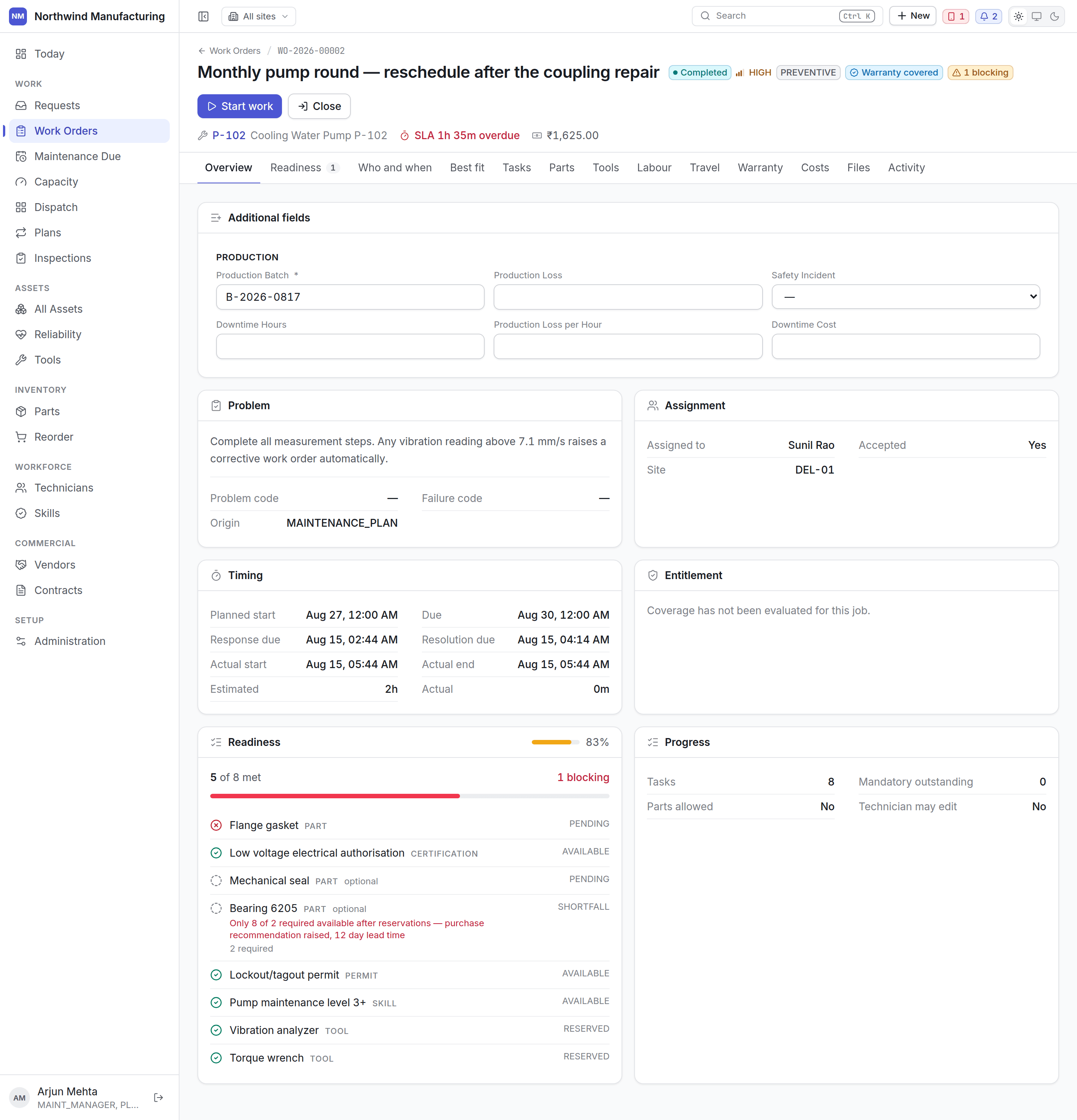
The header
The number, the title, the asset and where it is. Beneath: the status, the priority, the type, who it is on and when it is due. The action bar offers the moves your organisation’s state model allows from the state the job is in right now — Assign, Accept, Start work, Put on hold, Wait for parts, Complete, Close, Cancel. A button you expected and cannot see means your configuration does not allow that move from here. See the lifecycle.Tabs
Overview
Overview
The description, the asset, the requester, the dates, the service level, and any custom fields
your plant has added to work orders.
Readiness
Readiness
Can this job actually be done? The tab carries a count of what is blocking it.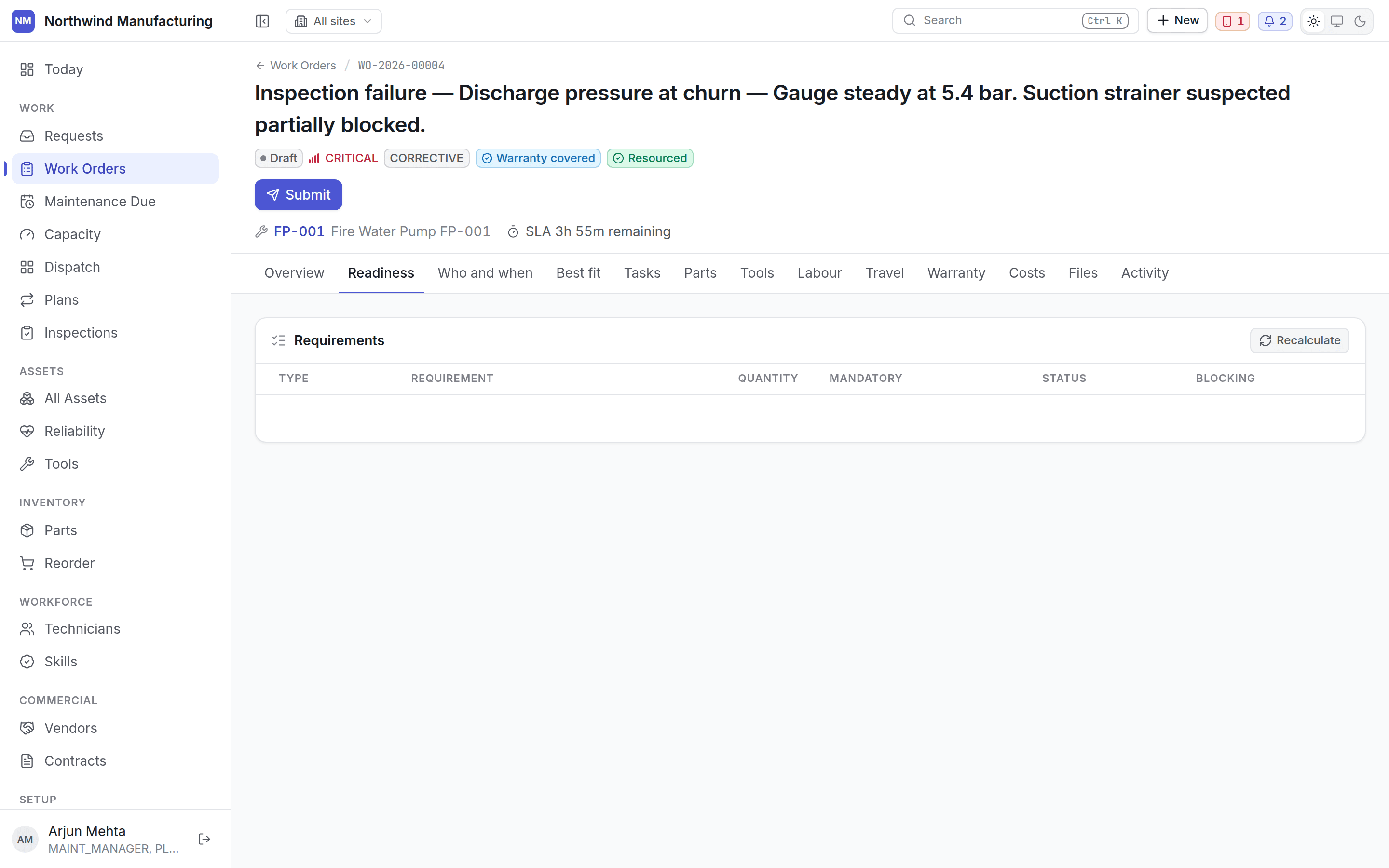
Who and when
Who and when
Assignment and scheduling. Who is on it, which team, the planned window, and the estimated
duration. Assign more than one person where a job needs a pair.
Best fit
Best fit
The routing recommendation: who the system would send, and why. Travel time, skills held,
certifications, current workload, site calendar and vendor entitlement each contribute, and the
reasoning is kept rather than reduced to a score.It is a recommendation. You assign.
Tasks
Tasks
The checklist. Steps in order, which are mandatory, and which have been done. Steps that require
evidence — a photograph, a signature, a measurement — say so, and the work order cannot be
closed until the mandatory ones are complete.A step that raises a corrective work order if it fails says so before anybody answers it. When
one does fail, the work order it raised is named beside the failure, so a corrective job never
appears on the board with no visible cause.Technicians work through this on the field app.
Parts
Parts
What the job needs and what has actually been issued against it.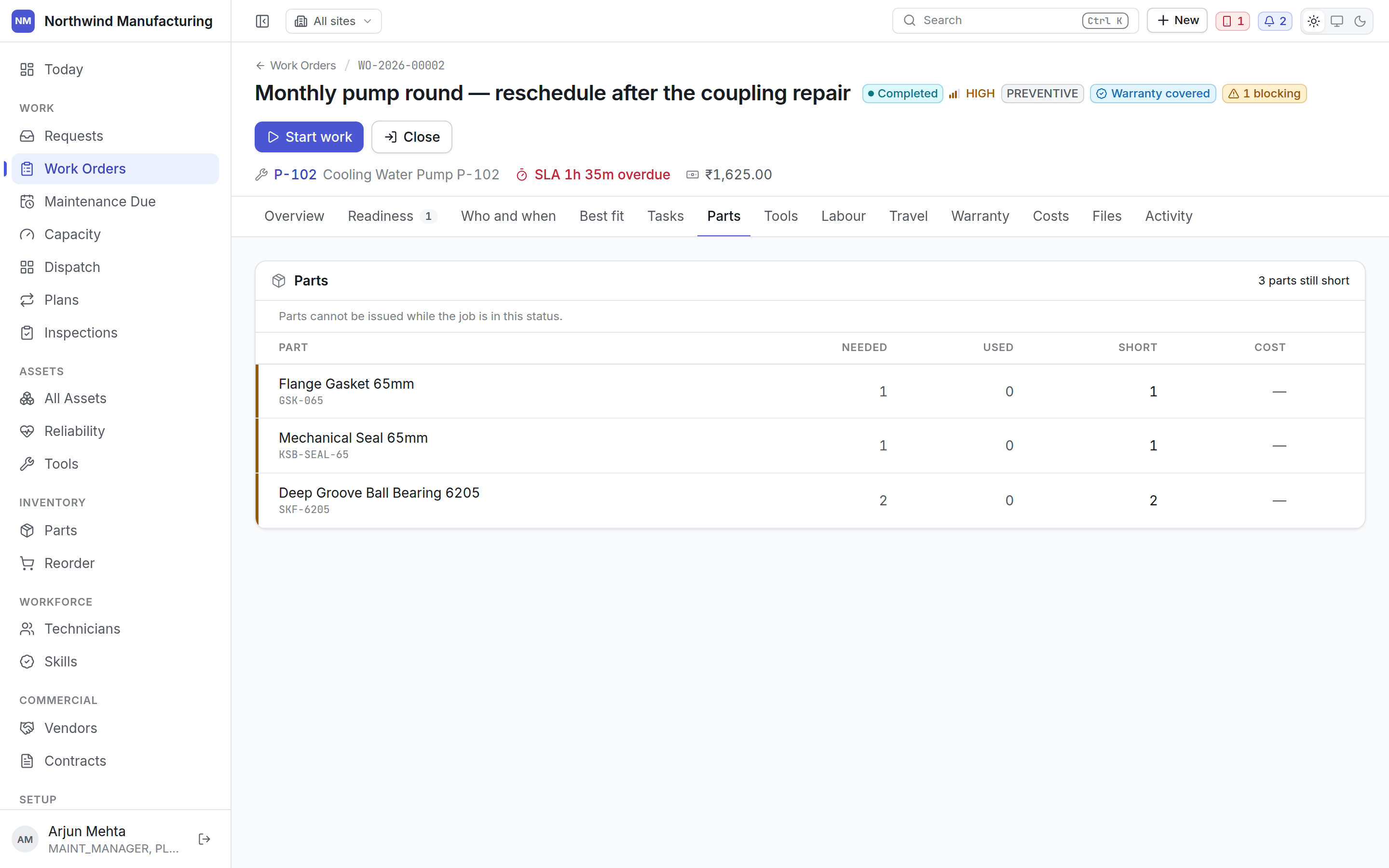
Tools
Tools
Instruments the job needs, and which are currently out to it. A tool can be unavailable by
status, unusable by condition, or out of calibration — the last is the worst, because the
instrument still works and its readings are no longer evidence.
Labour
Labour
Hours booked against the job, by person, with the rate that applies.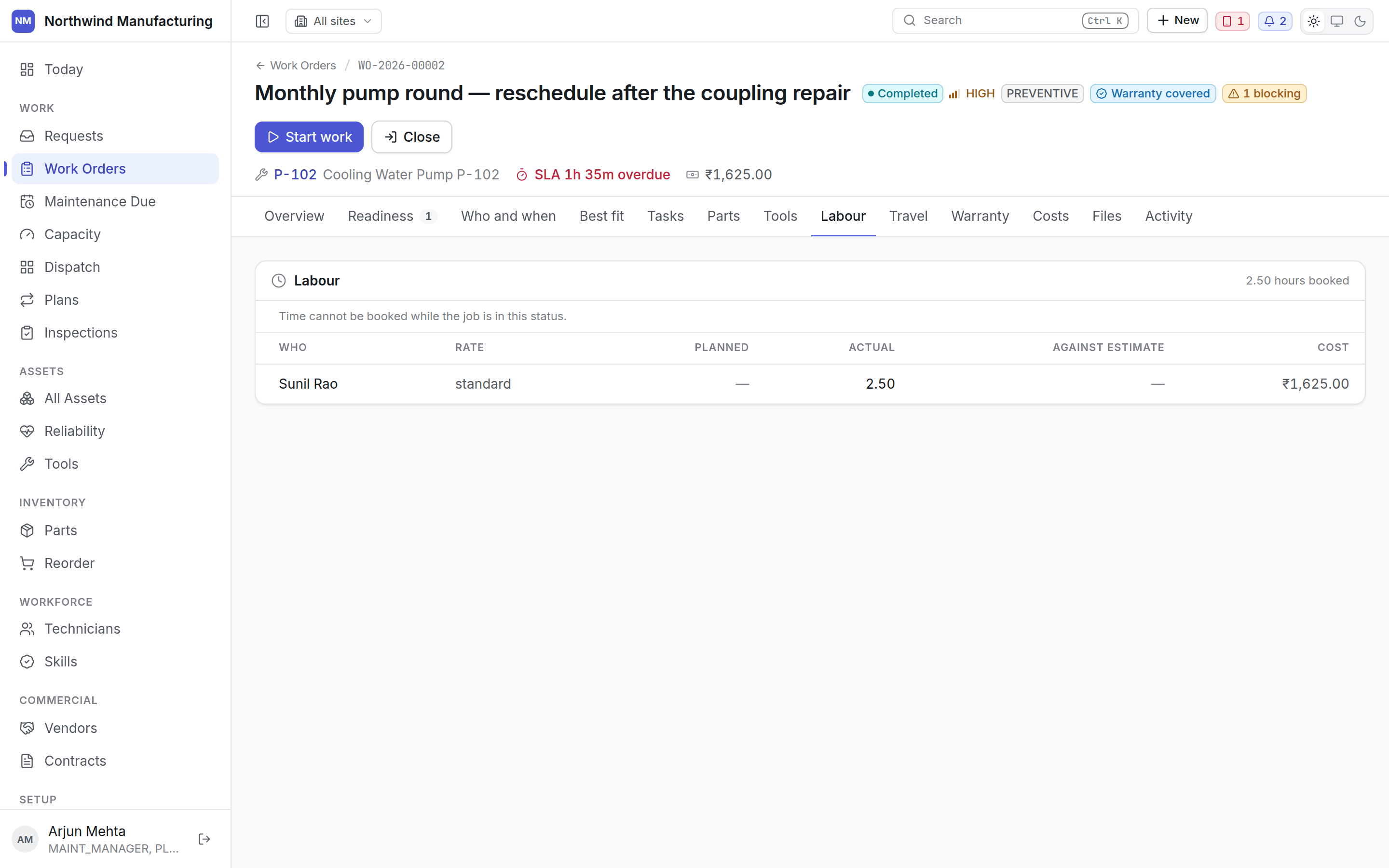
Travel
Travel
The journey to the job — distance and time — where it was recorded. It feeds the routing
estimates the dispatch board shows.
Warranty
Warranty
Whether this repair is covered, by which agreement, and on what evidence. The panel reads the
recorded entitlement decision rather than deciding again, so what you see is what was
concluded at the time.See entitlements and claims.
Costs
Costs
Labour, parts, tools, travel and vendor charges, totalled. Committed cost is what is on the job
now; actual cost is what has been consumed.
Files
Files
Photographs, drawings, reports and signatures. The tab carries the count. Evidence captured at
the machine on the handset arrives here.
Copilot
Copilot
Ask for a classification, a diagnosis, or help with the job in front of you. What comes back is
a proposal: nothing is written to the work order until somebody accepts it, and agreeing with a
suggestion without applying it is a separate choice.Empty until your organisation has agreed to switch the copilot on. See
Copilot.
Activity
Activity
Everything that has happened to the job in order — every state change, who made it and when,
plus comments.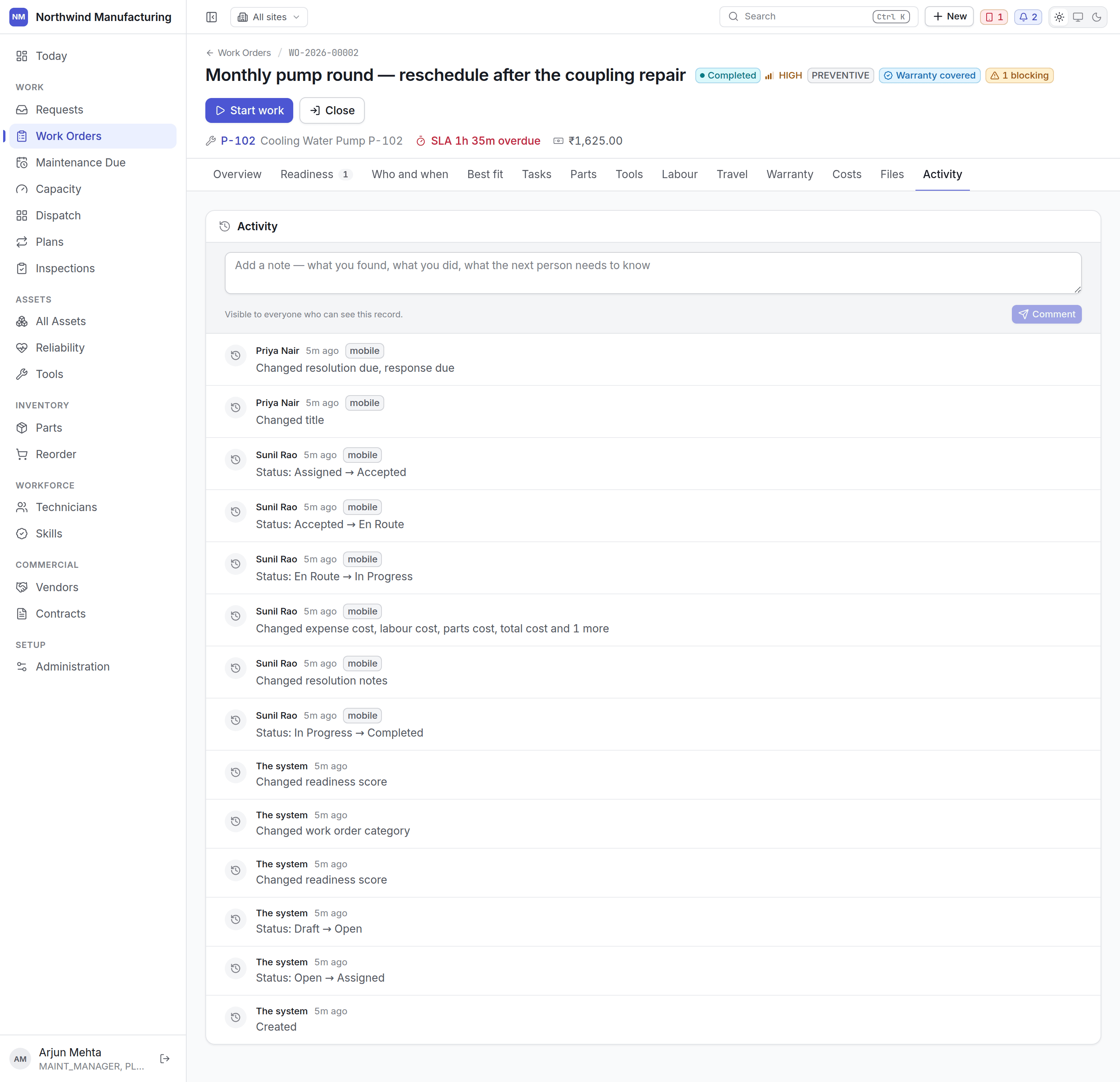
Audit
Audit
The full change record: every field, its old and new value, who changed it and when. Only
visible to roles that carry audit permission — normally administrators and auditors.